Study Notes
Overview
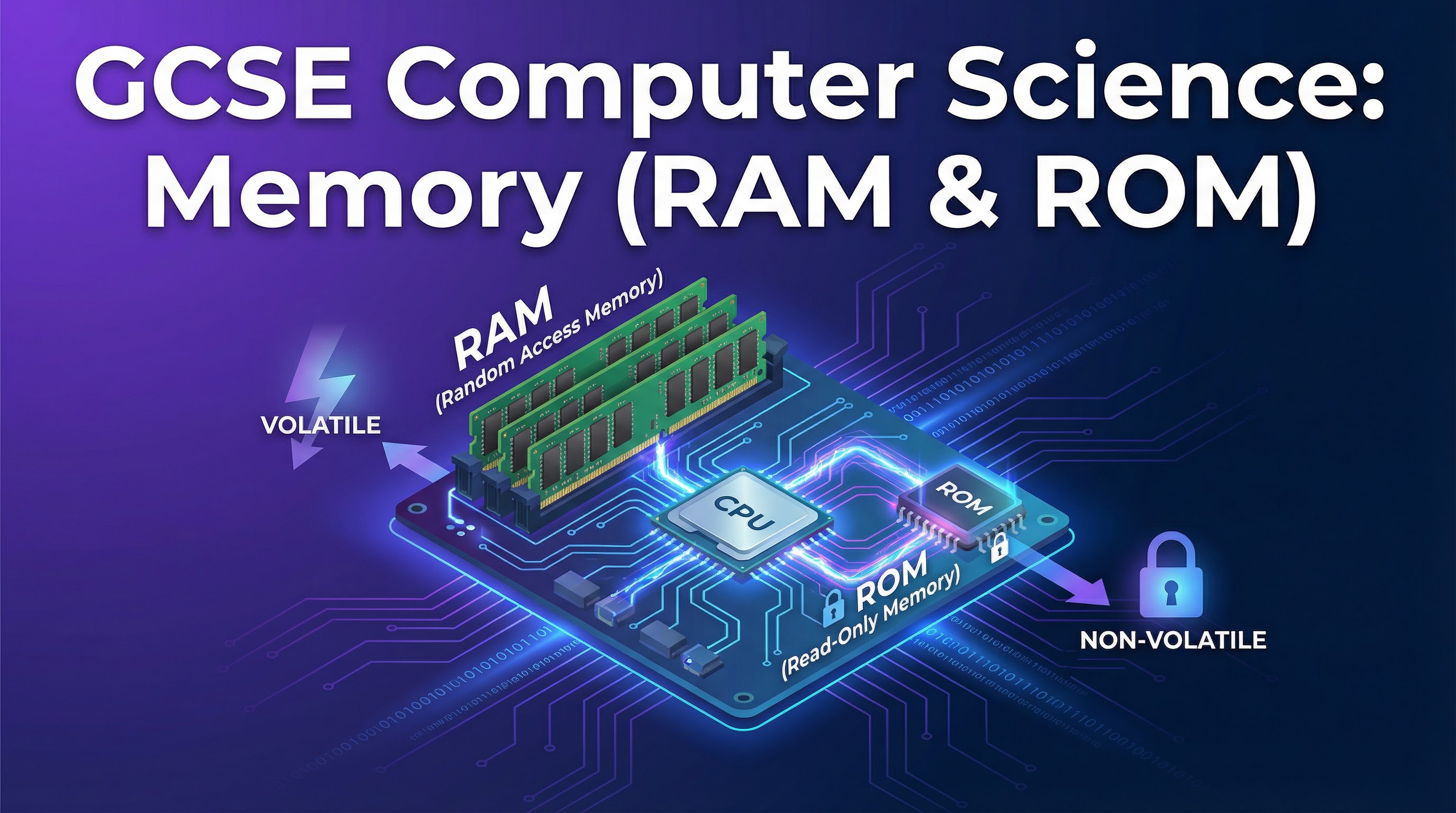
This guide delves into the essential topic of Primary Memory, a cornerstone of the OCR GCSE Computer Science (J277) specification. Understanding the distinction between RAM and ROM is not just about memorizing definitions; it's about grasping how a computer fundamentally operates. This topic forms the bedrock for understanding operating systems, software execution, and system performance. In the exam, expect questions that require you to compare RAM and ROM directly, explain the purpose of each, and analyze the role of Virtual Memory in system stability. A solid grasp here will allow you to build synoptic links to topics like the CPU and secondary storage, earning you credit for a holistic understanding.
Key Concepts
Concept 1: RAM (Random Access Memory)
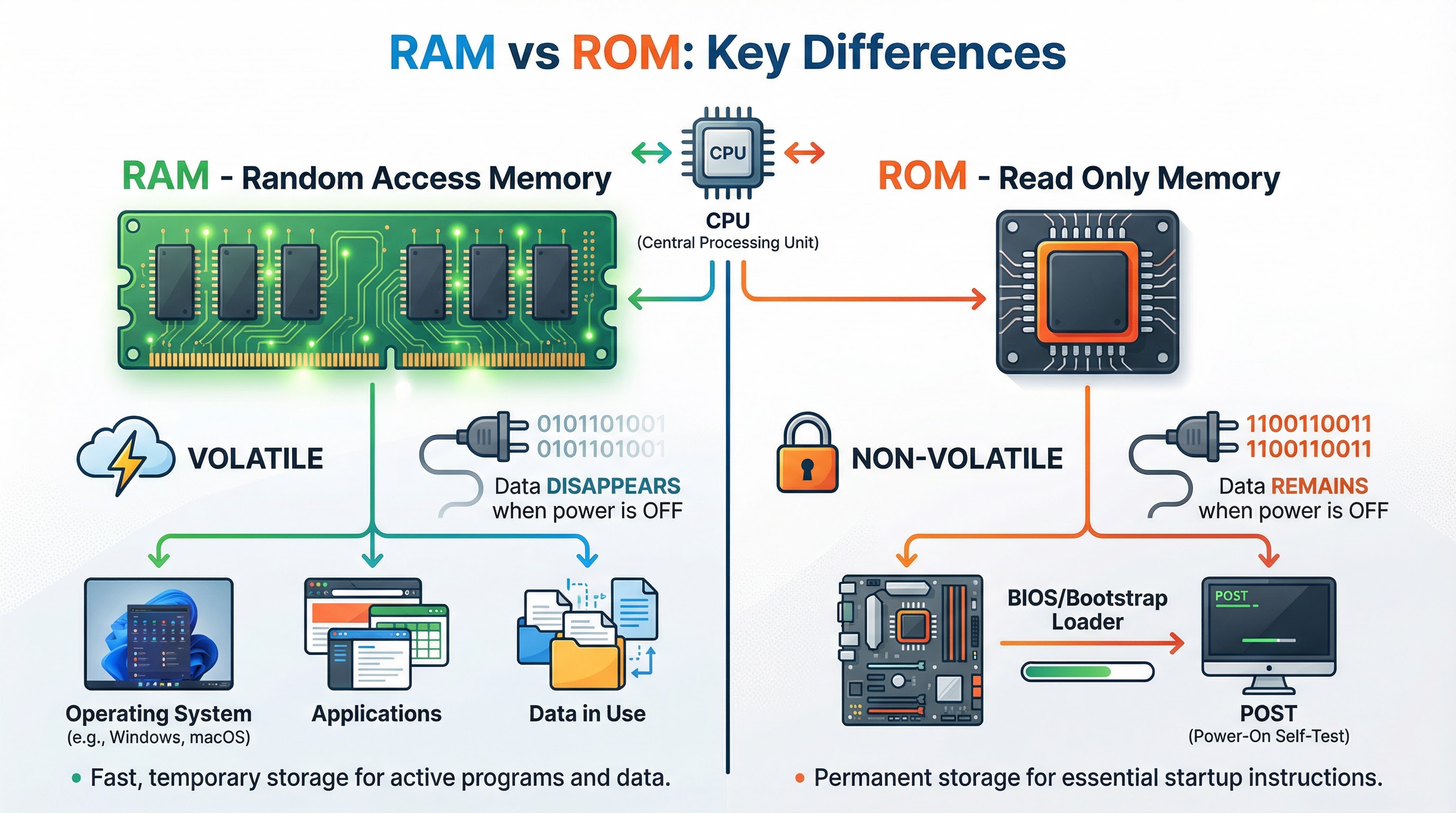
RAM is the computer's main workspace. Think of it as a busy workbench where a craftsman (the CPU) keeps the tools and materials (data and programs) they are actively using. When you open an application like a word processor or a web browser, it is loaded from the much slower secondary storage (like a hard drive) into the super-fast RAM so the CPU can access it instantly.
The most critical characteristic of RAM, and a guaranteed exam point, is that it is volatile. This means that as soon as the computer loses power, everything stored in RAM is wiped clean. It's a temporary, high-speed holding area. Credit is given for answers that specifically state RAM stores the Operating System, currently running applications, and the data they are using.
Example: You are editing a photo. The photo file itself is on your hard drive. But the photo editing software, the photo itself, and every change you make (like adjusting brightness) are all held in RAM. If the power cuts before you save, those changes are lost because RAM is volatile.
Concept 2: ROM (Read-Only Memory)
ROM is the computer's permanent instruction manual. Unlike RAM, it is non-volatile, meaning its contents are not erased when the power is turned off. You can only read the instructions from it; you cannot normally write new ones.
Its primary, and most crucial, role is to store the BIOS (Basic Input/Output System) or bootstrap loader. This is the very first program the CPU runs when you turn the computer on. The BIOS performs a quick self-test of the hardware (called the POST - Power-On Self-Test) and then provides the instructions to load the main operating system from the secondary storage device into RAM. Without ROM, the computer wouldn't know how to start up. Examiners award marks for specifically mentioning the BIOS or bootstrap loader, not just 'startup files'.
Example: When you press the power button on your computer, the CPU immediately starts reading instructions from the ROM chip. These instructions tell it to check if the keyboard is connected, how much RAM is installed, and then, crucially, where to find the operating system (e.g., Windows or macOS) on the hard drive to begin loading it.
Concept 3: Virtual Memory
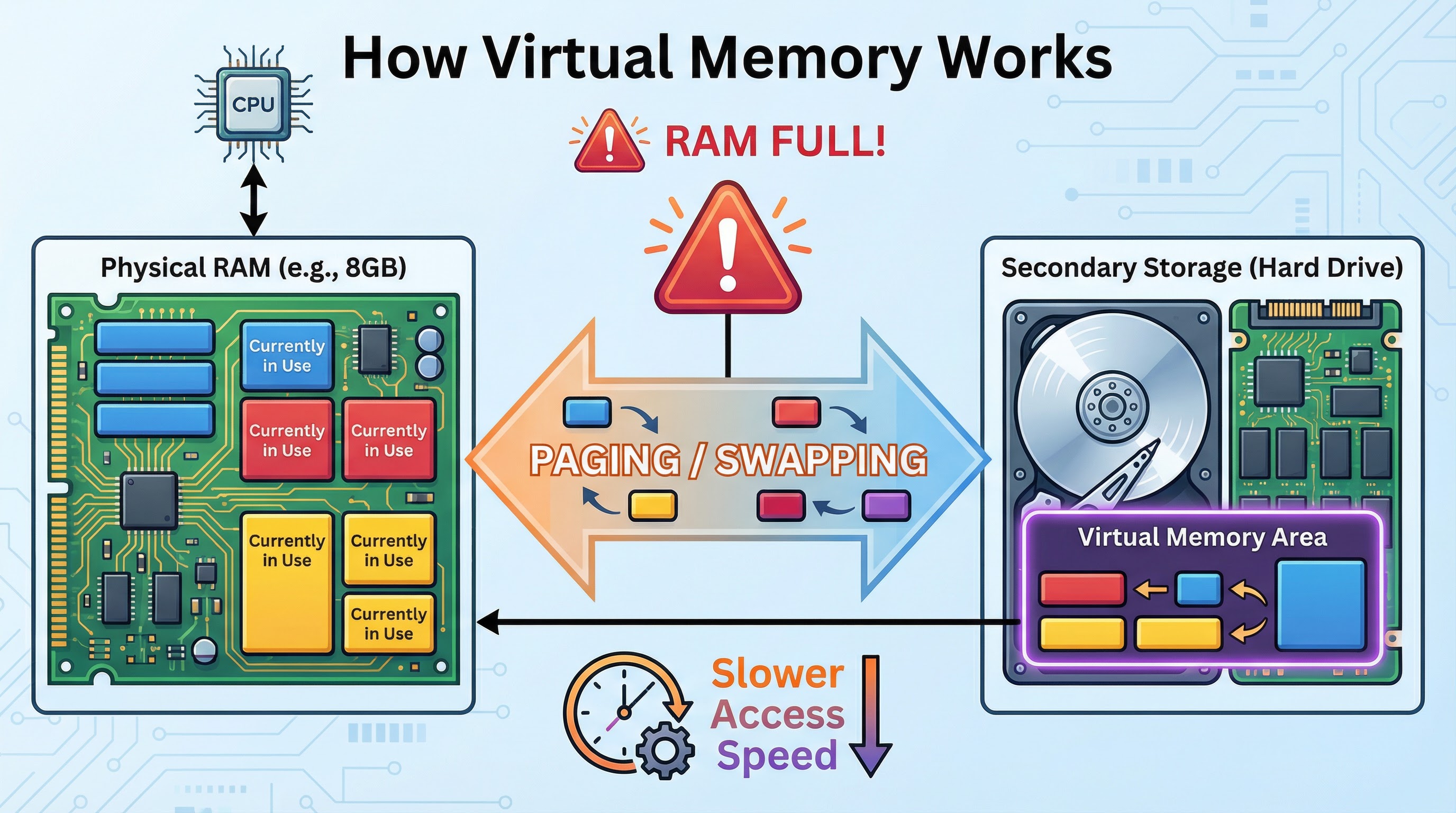
What happens when your workbench (RAM) is completely full of tools and materials, but you need to get another one out? You could just give up (the computer crashes), or you could find a temporary overflow space. This is exactly what Virtual Memory does.
When the physical RAM is completely full, the operating system selects a portion of secondary storage (usually the hard drive or SSD) to use as a temporary extension of RAM. Data that is in RAM but not being actively used (for example, a background application you haven't touched for a while) is moved to this virtual memory area on the hard drive. This process is called paging or swapping. This frees up space in the physical RAM for the new data that is immediately needed.
The major drawback is that secondary storage is significantly slower than RAM. Therefore, when the system has to constantly swap data back and forth between RAM and virtual memory (a situation known as 'disk thrashing'), the computer's performance will slow down noticeably. It's a mechanism to prevent crashes, not to increase speed.
Mathematical/Scientific Relationships
While there are no specific formulas for this topic, understanding the speed relationship is crucial:
RAM access speed vs Secondary Storage access speed: RAM is typically measured in nanoseconds (billionths of a second), while hard drives are measured in milliseconds (thousandths of a second). This means RAM is approximately 100,000 times faster than a traditional hard drive. Even modern SSDs, while much faster than hard drives, are still significantly slower than RAM. This speed difference is why virtual memory causes performance degradation.
Practical Applications
Real-World Scenario 1: Gaming PerformanceWhen you play a modern video game, the game's core files are stored on your hard drive or SSD. However, when you launch the game, the game engine, textures, character models, and level data are all loaded into RAM. If your system doesn't have enough RAM, the game will use virtual memory, causing stuttering and lag as data is constantly swapped to and from the hard drive.
Real-World Scenario 2: Smartphone Boot-UpWhen you turn on your smartphone, the process is identical to a desktop computer. The ROM contains the firmware and bootstrap instructions. These instructions load the mobile operating system (iOS or Android) from the phone's flash storage into RAM, making the phone ready to use.
Real-World Scenario 3: Server UptimeServers in data centers are designed to run 24/7 without interruption. They rely on non-volatile ROM to ensure that even if there's a brief power interruption, the system can reboot automatically using the BIOS instructions stored in ROM.