Study Notes
Overview
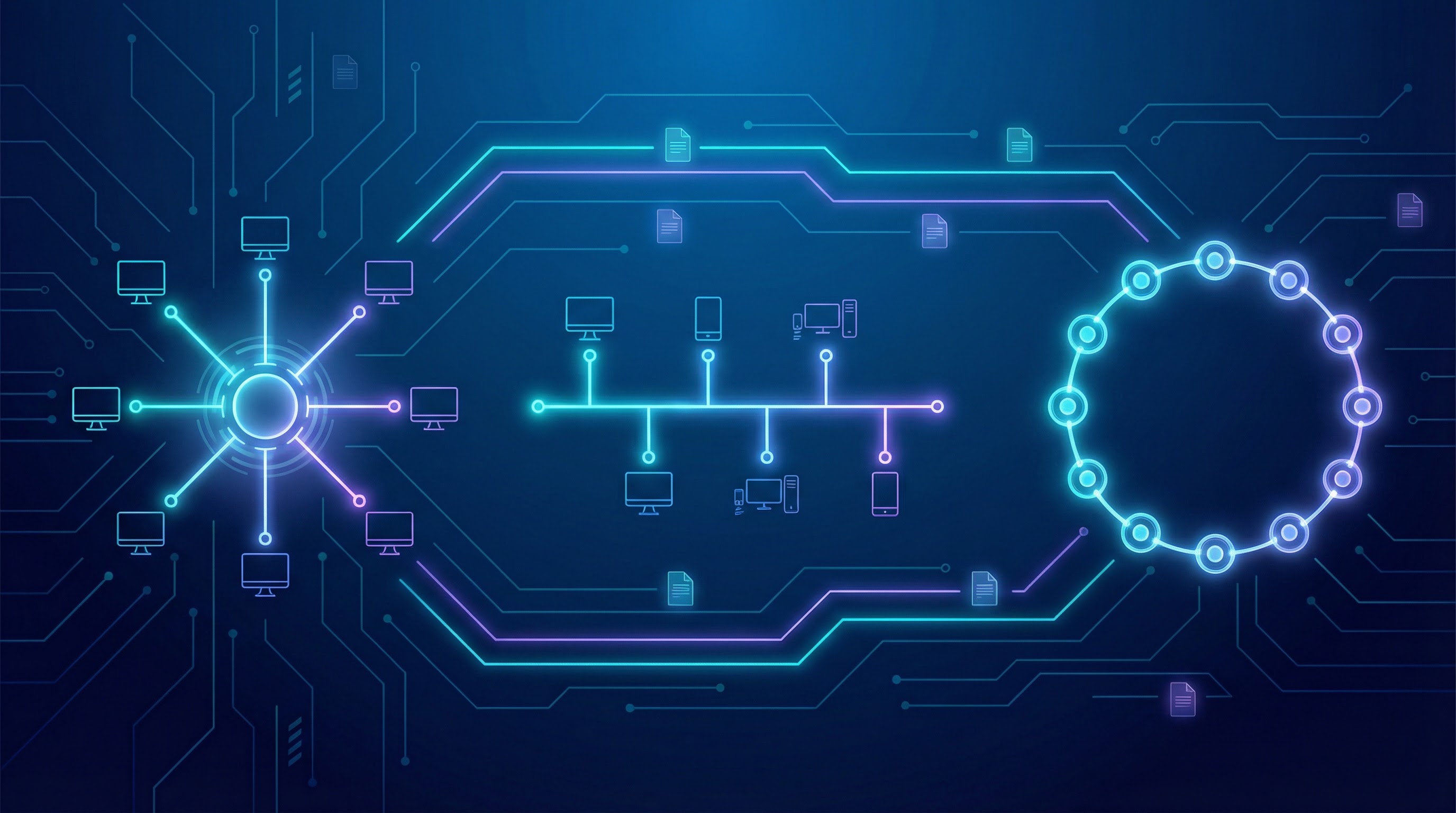
Network topologies are a fundamental concept in computer science, defining the physical layout of a network. For your OCR J277 exam, you need to understand how devices (nodes) are connected and how data flows in different arrangements. This topic isn't just about memorizing diagrams; it's about analyzing the trade-offs between cost, reliability, and performance. Examiners will expect you to compare topologies, explaining the consequences of component failure in each. A typical 6-mark question might ask you to compare a Star and a Bus topology, so being able to articulate the pros and cons of each is essential for achieving a high grade. This topic links directly to network hardware, protocols, and the TCP/IP model, forming a core part of your understanding of how networks function.
Key Concepts
Concept 1: Star Topology
In a Star topology, all devices are connected to a central hub or switch. Think of it as a central meeting point for all data. Every piece of information sent from one device to another must pass through this central switch. This design is the most common in modern LANs (Local Area Networks), like those in your school or home.
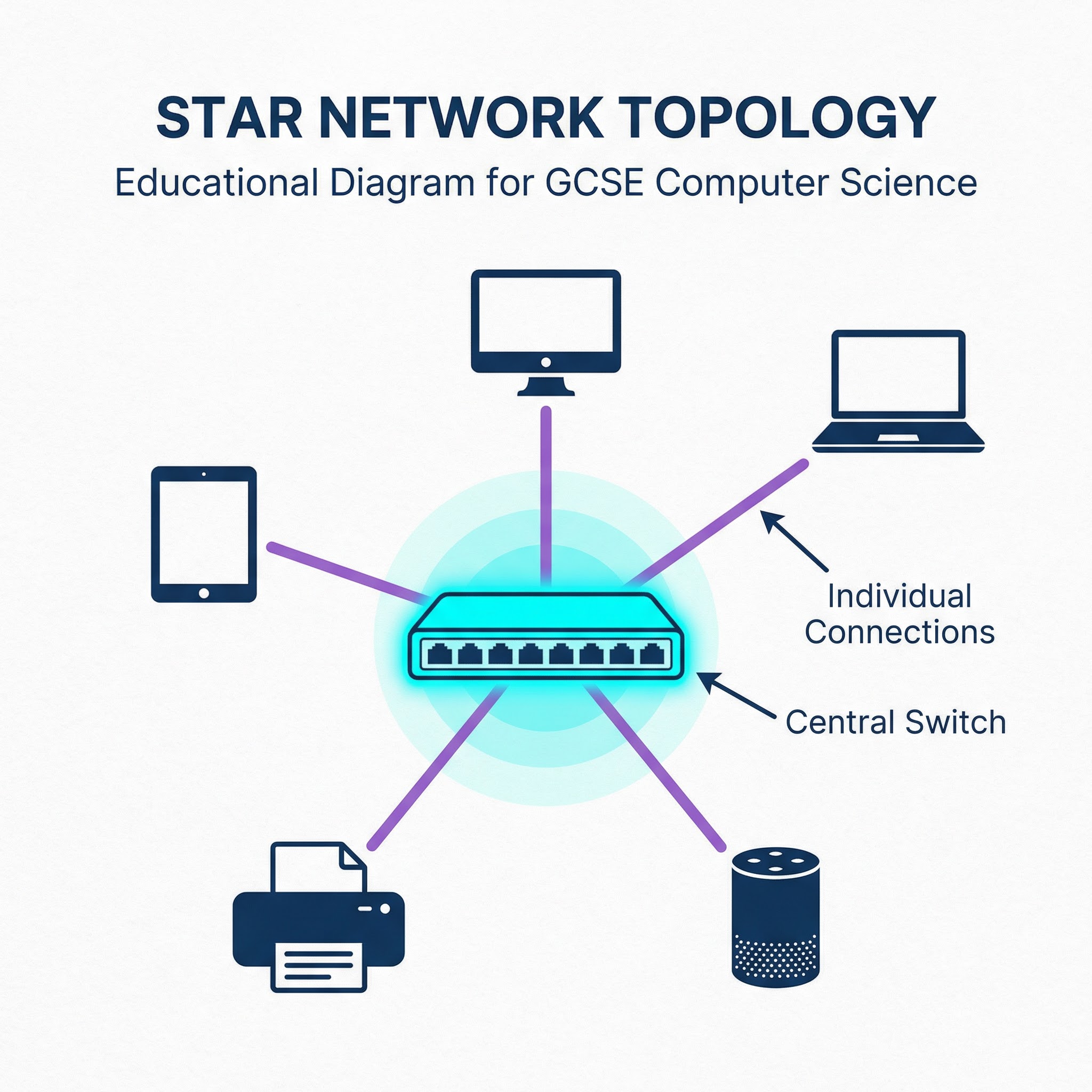
How it Works: When a computer wants to send data to another, it sends the data to the central switch. The switch then intelligently forwards the data only to the intended recipient device. This is a major advantage over older hubs, which would broadcast the data to every device, creating unnecessary network traffic.
Advantages:
- Reliability: If one cable fails, only that single device is disconnected from the network. The rest of the network continues to function normally. This makes it easy to isolate faults.
- Performance: With a switch, data is sent directly to its destination without congesting the entire network. This means performance remains high even with many devices.
- Scalability: It is easy to add new devices to the network by simply connecting them to an available port on the central switch.
Disadvantages:
- Cost: It is the most expensive topology to install. It requires a lot of cable (one for each device) and the central switch itself can be a costly piece of hardware.
- Central Point of Failure: The entire network depends on the central switch. If the switch fails, the whole network goes down. This is a critical point that examiners love to test.
Concept 2: Bus Topology
A Bus topology uses a single main cable, known as the backbone or bus, to connect all devices. Each device is connected to this main cable via a short drop cable. It's a simple, linear layout.
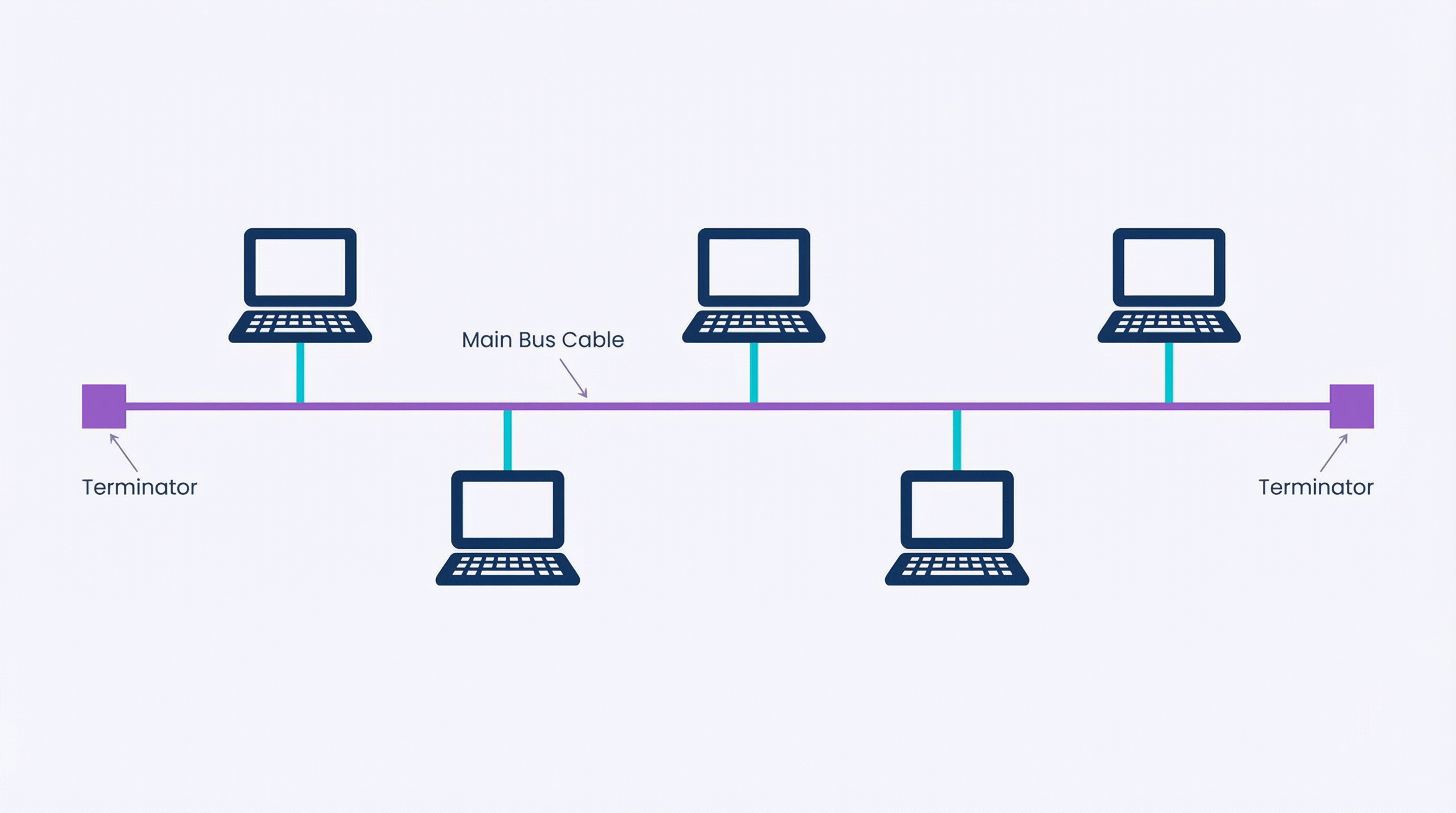
How it Works: Data is sent onto the main bus and travels along the entire length of the cable. Every device on the bus receives the data, but only the device with the matching address will process it. To prevent signals from reflecting back down the bus and causing interference, terminators are placed at both ends of the main cable.
Advantages:
- Low Cost: It is very cheap to set up as it requires less cable than a Star topology and no expensive central hardware.
- Simple: The linear structure is easy to understand and install.
Disadvantages:
- Single Point of Failure: If the main backbone cable breaks, the entire network is disabled. It can also be difficult to identify where the break has occurred.
- Performance Issues: All devices share the same single cable. As more devices are added, the network becomes slower due to increased data traffic and collisions (when two devices try to send data at the same time).
- Security: Since data is sent to every device on the bus, it is less secure than a Star topology.
Concept 3: Ring Topology
In a Ring topology, devices are connected in a circular loop. Each device is connected to exactly two other devices, forming a single continuous pathway for signals.
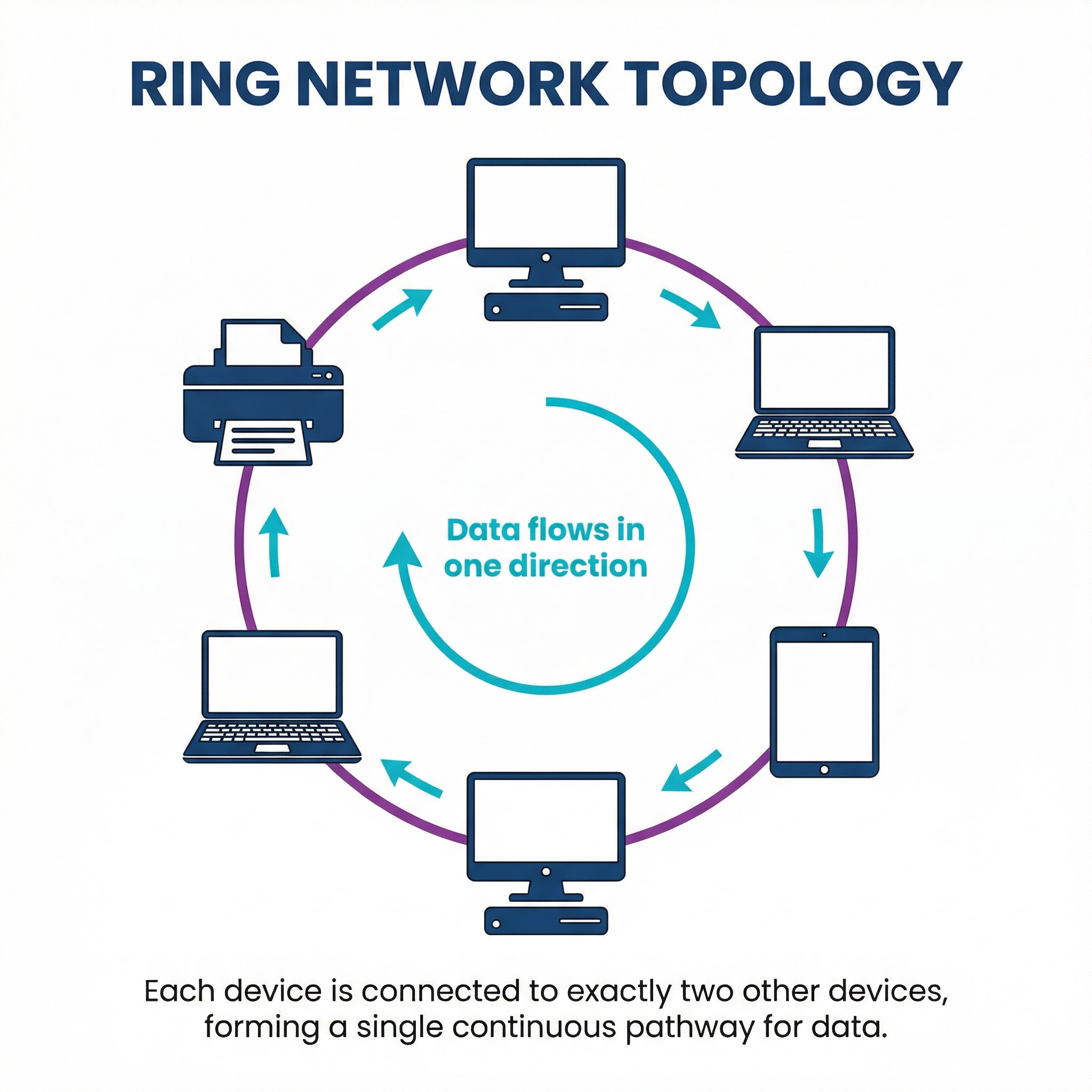
How it Works: Data travels from device to device around the ring, typically in one direction. Each device acts as a repeater, regenerating the signal before passing it on to the next device. Some ring networks use a token-passing protocol to manage data transmission. A special data packet called a 'token' circulates the ring, and only the device that holds the token is allowed to send data. This prevents data collisions.
Advantages:
- Orderly Transmission: With a token-passing system, data collisions are eliminated, leading to predictable performance.
- No Central Server: It does not require a central server to manage connectivity between the devices.
Disadvantages:
- Single Point of Failure: If any single cable breaks or any device fails, the entire network loop is broken and the network fails.
- Difficult to Troubleshoot: A failure could be anywhere in the ring, making it hard to pinpoint the problem.
- Scalability: Adding or removing a device requires breaking the ring, which disrupts the entire network.
Mathematical/Scientific Relationships
There are no specific mathematical formulas you need to memorise for network topologies at GCSE level. However, you should understand the relationship between the number of devices and the amount of cabling required:
- Star Topology: Cable required is proportional to the number of devices (N). If you have N devices, you need N cables connecting to the switch.
- Bus Topology: Cable required is largely fixed by the length of the backbone, with small additional amounts for each device. It is not directly proportional to the number of devices in the same way as a Star.
- Ring Topology: Cable required is proportional to the number of devices (N), as each device needs a cable to connect to its two neighbours.
Practical Applications
- Star Topology: The dominant topology for modern wired networks. Used in almost all homes, schools, and offices with Ethernet (wired) connections.
- Bus Topology: Largely obsolete for LANs but the concept is still relevant. For example, the CAN bus protocol used in modern cars to allow microcontrollers and devices to communicate with each other is a form of bus network.
- Ring Topology: Also largely obsolete for LANs, but was historically used in some large office buildings and campus networks with FDDI (Fiber Distributed Data Interface) technology."