Study Notes
Overview
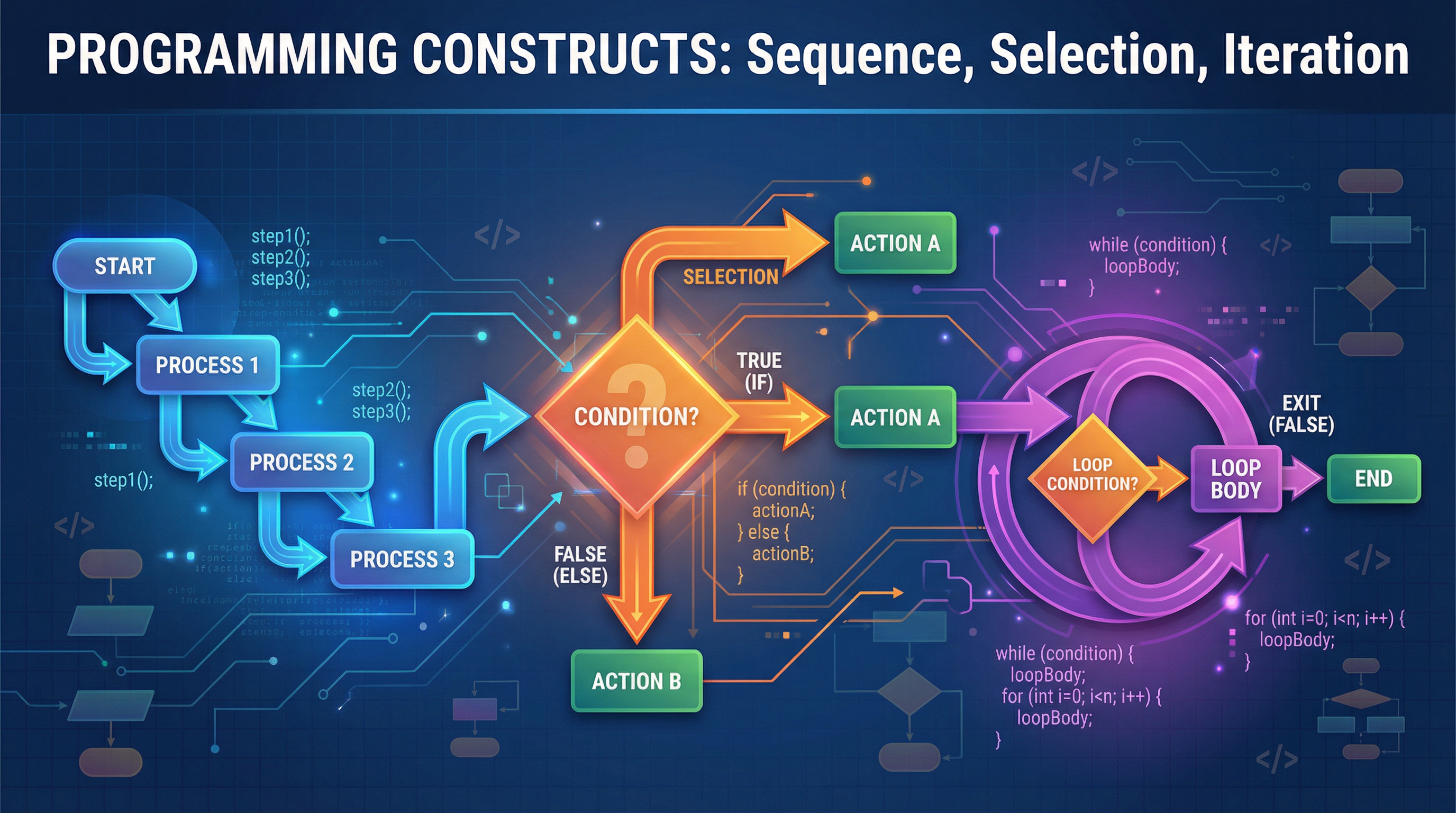
Welcome to the heart of programming! This guide focuses on Programming Constructs (WJEC Specification 5.1), the fundamental logic that powers every piece of software. These constructs are the rules that tell a computer not just what to do, but in what order, when to make choices, and how many times to repeat an action. For your WJEC GCSE, mastering Sequence, Selection, and Iteration is non-negotiable. It accounts for a huge portion of the marks in both the Unit 1 written paper and the Unit 2 on-screen practical exam. You will be asked to read, write, and debug algorithms using these constructs in both pseudocode and a high-level language (like Python or Java). This topic is the foundation upon which all your other programming skills are built, linking directly to data structures, subroutines, and file handling. Expect questions that require you to trace code, design algorithms from scratch, and justify your choice of construct.
Key Concepts
At its core, an algorithm is just a set of instructions. Programming constructs are the tools we use to structure those instructions logically.
Concept 1: Sequence
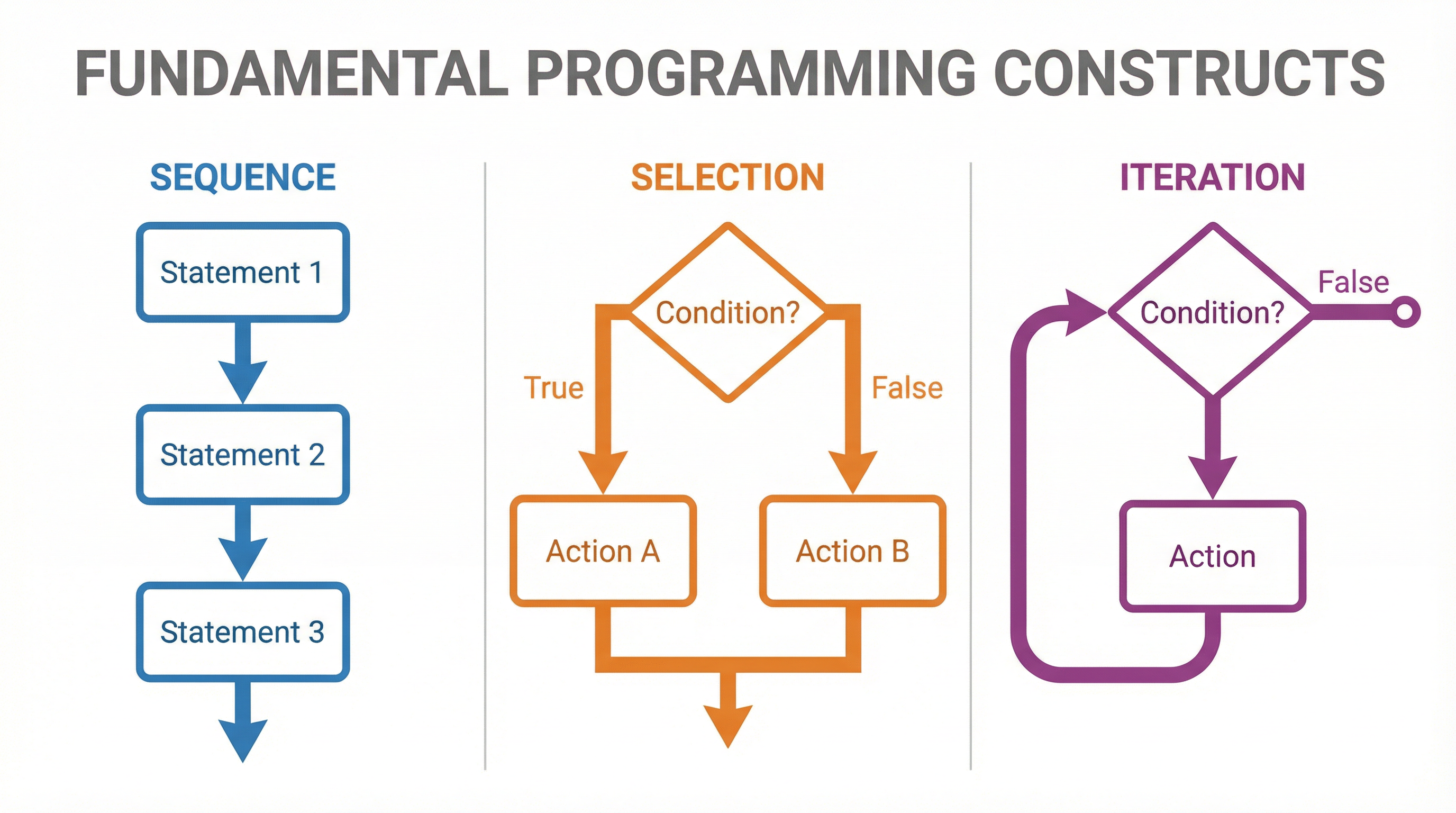
Sequence is the most straightforward construct. It means that instructions are executed one after another, in the precise order they are written, from top to bottom. There are no jumps, no skipped steps, and no repetitions. Think of it like a recipe: you must complete each step in order to get the correct result.
Why it works: Computers are inherently sequential machines. The processor fetches an instruction, executes it, and moves to the next one in memory. Sequence is the default behaviour.
Example: A program to calculate the area of a rectangle.
INPUT widthINPUT heightarea = width * heightOUTPUT area
Each instruction is executed in a strict, linear order. A common place candidates lose marks is by trying to use a variable before it has been given a value (e.g., putting line 3 before lines 1 and 2). This is a fundamental sequence error. Credit is awarded for correctly initializing variables before they are used in calculations or loops.
Concept 2: Selection
Selection allows a program to make decisions. It uses a condition (a statement that evaluates to either True or False) to decide which block of code to execute. This allows the program to follow different paths based on input or changing circumstances. The primary tool for selection is the IF statement.
Why it works: Selection is based on Boolean logic. The condition is evaluated, and the result determines the flow of execution. This is fundamental to creating responsive and intelligent programs.
Types of Selection:
-
IF...THEN...END IF: Executes a block of code only if the condition is true.
pseudocode
IF age >= 18 THEN
OUTPUT "You can vote."
END IF -
IF...THEN...ELSE...END IF: Provides two possible paths. One for when the condition is true, and another (the
ELSEblock) for when it is false.
pseudocode
IF temp > 20 THEN
OUTPUT "It is warm."
ELSE
OUTPUT "It is cold."
END IF -
IF...ELSE IF...ELSE...END IF: Used for multiple, mutually exclusive conditions. This is more efficient than using multiple separate
IFstatements, as the computer stops checking as soon as it finds a true condition.
pseudocode
IF score > 80 THEN
OUTPUT "Grade A"
ELSE IF score > 60 THEN
OUTPUT "Grade B"
ELSE
OUTPUT "Grade C"
END IF
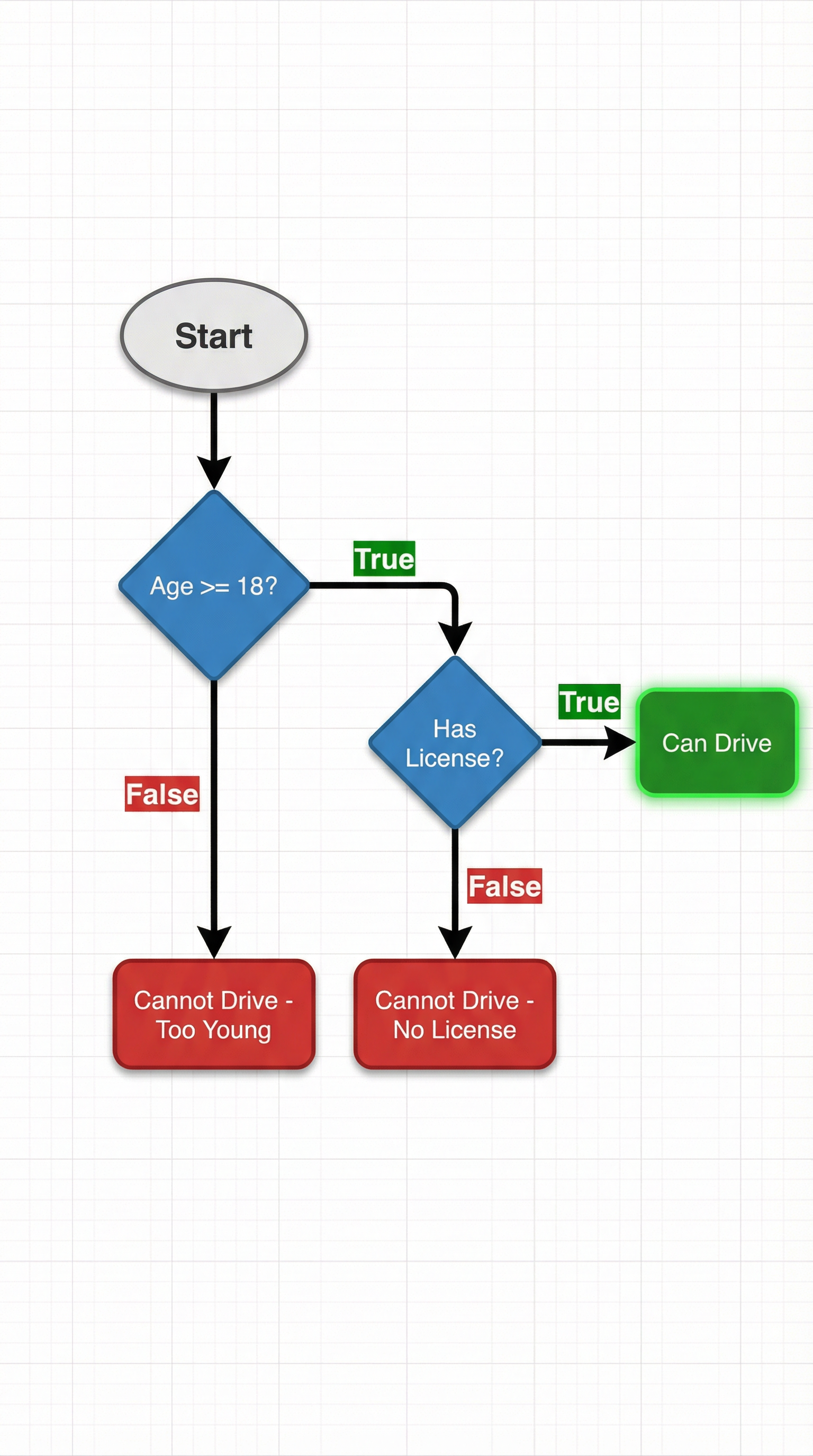
Nested Selection: You can place IF statements inside other IF statements to create more complex logic. This is powerful but requires careful indentation and structure to remain readable. Examiners look for clear nesting in 6-mark algorithm questions.
Concept 3: Iteration
Iteration means repeating a block of code. This is also known as looping. Iteration is essential for processing collections of data, performing actions multiple times, or waiting for an event to occur. There are two main categories of iteration.
1. Count-Controlled Iteration:
This is used when you know in advance exactly how many times you need to repeat the code. The FOR loop is the primary example.
Example: Output the numbers from 1 to 10.
pseudocode
FOR i = 1 TO 10
OUTPUT i
NEXT i
This loop will execute precisely 10 times. Marks are often awarded for correctly defining the start and end points of the loop. Be careful of 'off-by-one' errors, where the loop runs one too many or one too few times.
2. Condition-Controlled Iteration:
This is used when the number of repetitions is not known in advance. The loop continues as long as a certain condition is met. There are two types:
-
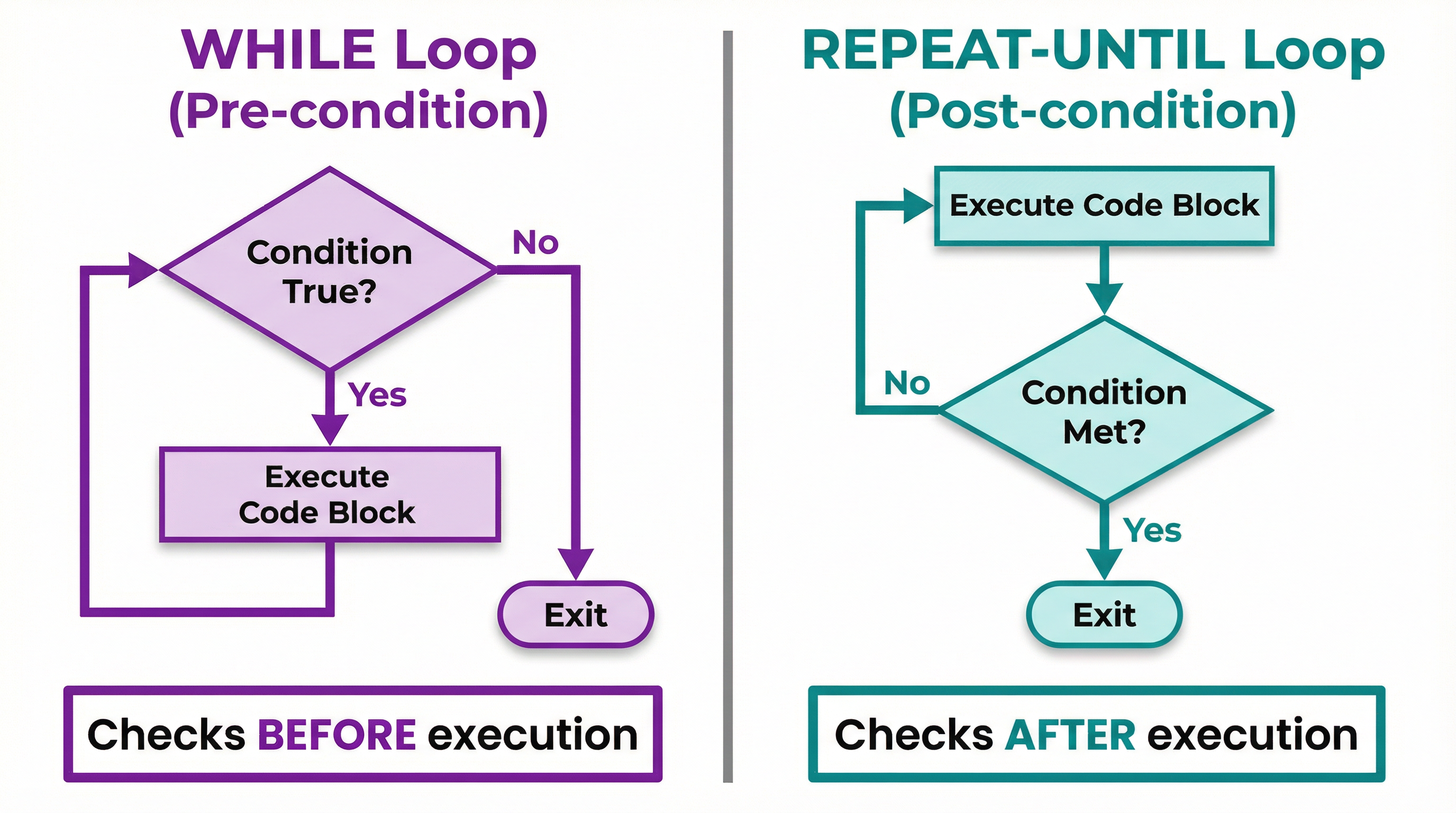
WHILE Loop (Pre-condition): The condition is checked before the loop body is executed. If the condition is false at the very beginning, the loop will not execute at all.
pseudocode
count = 1
WHILE count <= 5
OUTPUT count
count = count + 1
END WHILE -
REPEAT...UNTIL Loop (Post-condition): The loop body is executed before the condition is checked. This means the loop will always execute at least once.
pseudocode
count = 1
REPEAT
OUTPUT count
count = count + 1
UNTIL count > 5
An infinite loop is a common error where the loop's exit condition is never met. For example, if you forget count = count + 1 in the WHILE loop above, count will always be 1, the condition count <= 5 will always be true, and the loop will run forever. Examiners specifically look for a valid termination condition in your code.
Mathematical/Scientific Relationships
While programming constructs are logical, they are often used to implement mathematical relationships. The key is in the operators used within selection and iteration conditions.
- Relational Operators: Used to compare values.
==(Equal to)!=or<>(Not equal to)>(Greater than)<(Less than)>=(Greater than or equal to)<=(Less than or equal to)
- Logical Operators: Used to combine multiple conditions.
AND: Both conditions must be true (e.g.,IF age >= 18 AND hasLicense == true).OR: At least one condition must be true (e.g.,IF day == "Saturday" OR day == "Sunday").NOT: Inverts the result of a condition (e.g.,IF NOT isRaining).
Credit is given for selecting the correct relational operator to accurately model the problem described in an exam question.
Practical Applications
- Sequence: Any step-by-step process, like a login sequence (enter username, then enter password, then click submit).
- Selection: Validating user input (e.g.,
IFpassword is less than 8 characters, show an error). Or in a game,IFplayer health is 0, trigger the 'Game Over' sequence. - Iteration: A
FORloop could be used to process every pixel in an image. AWHILEloop could be the main game loop, running continuouslyWHILEthe player is alive. AREPEAT...UNTILloop is great for menus, where you want to display the options at least once and keep showing themUNTILthe user chooses to exit.